
How we use Attio for a new PLG startup
Engineering the product-led growth movement in Attio


If you were forwarded this newsletter, consider joining over 305 weekly readers—some of the most competent tech-savvy RevOps professionals —by subscribing here:
In earlier posts [1] [2], I shared how we tweaked HubSpot for our PLG startup, SpatialChat, showing exactly how we bridged product data with sales-led growth.
A lot’s changed since then.
I sold SpatialChat, then I helped InDrive build a data-driven VC fund, and recently joined as co-founder at Extruct. And more importantly for this article, we decided to give Attio a serious try as our new CRM.
At Extruct, we’re currently exploring how to truly solve the data mess in CRM for enterprise customers: eliminating duplicates, enriching records automatically, and capturing the right buying signals from the open web.
It’s probably one of the better solutions out there for B2B SaaS, though I’m also watching the new wave of AI-native CRMs aimed at startups (like Clarify, Day AI, and Lightfeed).
Attio is not as feature‑rich as HubSpot if you’re a large, complex sales org (territories, multi‑threading, etc.), but for an early‑stage PLG startup, it hits a very nice balance:
Flexible data model and API.
Good UX for operators and founders.
Reasonable pricing.
Integrations with Granola
In this post, I’ll walk through how we actually wired Attio into our PLG stack using:
Our database
Stripe
Extruct and Email Enrichments tools
n8n (for orchestration).
Slack and Loops (for notifications and lifecycle messaging).
The goal is not “Attio tutorial”.
The goal is: if you’re running a small PLG team, you should be able to copy 80% of this, adjust to your tools, and get a clean, reliable GTM system.
Attio and our PLG stack
First, some context.
We’re still in a very early, founder‑led phase, and we combine self‑serve PLG with sales‑led motion:
Volume‑wise, most revenue comes from self‑serve subscriptions via Stripe.
On top of that, we run a light sales‑assist layer: some people need a demo or conversation before purchasing, or expand after starting self‑serve.
Our real job is to understand every signup and every subscription: who they are, what they’re doing in the product, how serious they are.
So Attio is basically:
Source of truth for people and companies (deduplicated, enriched, with history).
Place where product, billing, and enrichment signals converge.
The funny thing is: none of this “just works” out of the box. Attio gives you the building blocks, but you have to glue them together.
We did the glue work in n8n. Honestly, it was a bit frustrating at first: n8n doesn’t have a native attio integration (and even the Stripe node is barebones). But it doesn’t really matter anymore—getting and maintaining third-party APIs used to be a pain, now LLMs write most of the code, and the function/code nodes just work.
I recorded a video to better showcase the internals and n8n integrations.
Connecting the product data and Attio
The first layer is boring but essential: get your own data into Attio.
We keep our product and usage data in Postgres / warehouse. From there, we define the core fields we care about in Attio (on people, companies, and deals). And then run SQL aggregations to compute simple but useful metrics.
We use n8n to query the database on a schedule, transform the aggregated rows into Attio upsert payloads, and match companies by domain and people by email. The rough flow looks like this: build aggregations in SQL, map each row to the relevant Attio fields, upsert the data via the HTTP node using the Attio API, and log or post to Slack if something looks off—such as when there’s no matching company.
Rough flow:
Build aggregation in SQL.
Map each row to Attio field (you need to create one beforehand)
Upsert via HTTP node (Attio API).
Log or post to Slack if something looks off (e.g. no matching company).
This gives us a base layer: Attio always knows roughly what’s happening in the product, even before we look at billing.
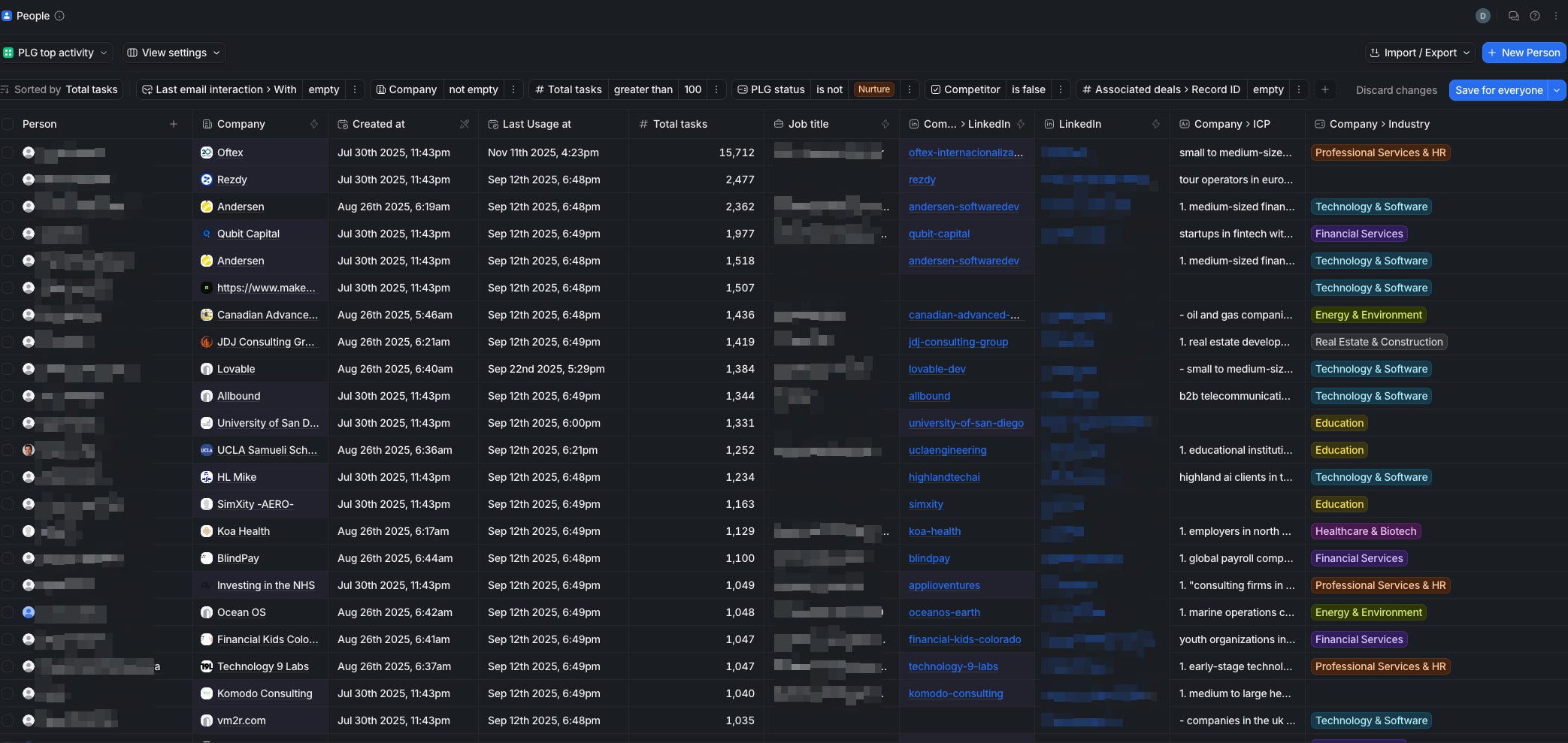
This gives us a base layer: Attio always knows roughly what’s happening in the product, even before we look at billing.
TO-DO: eventually, I want to move some scoring logic into this layer. for now, at our scale, it’s fine as-is—but if we were taking this seriously, here’s roughly how a robust scoring setup could look.
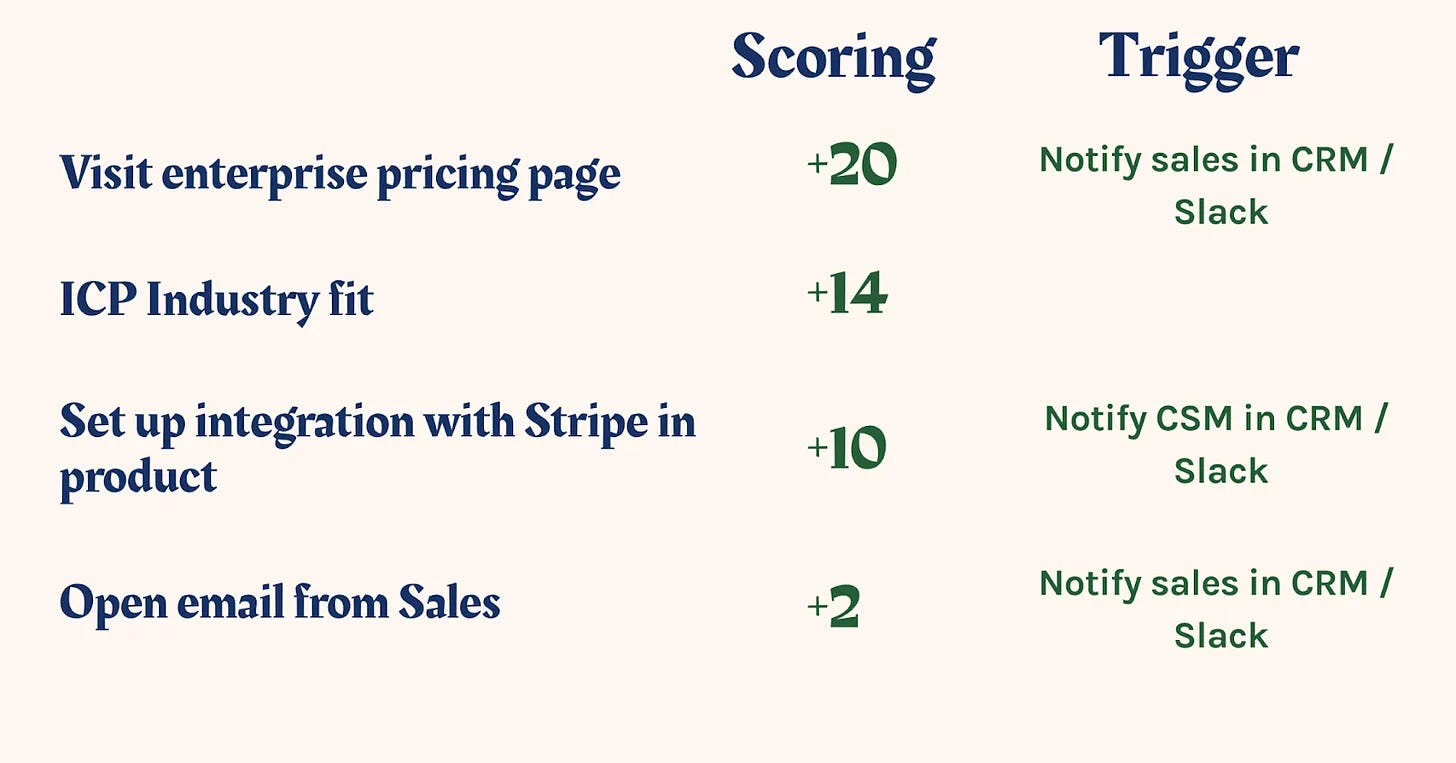
Connecting Stripe and Attio
For PLG, billing is often the first strong signal that someone cares.
So we wanted every Stripe subscription to be clearly visible inside Attio.
Surprisingly, there isn’t a convenient native Attio–Stripe integration (at least at the time of writing), so we used n8n + Stripe webhooks + Attio API.
We made one design choice upfront: We treat every Stripe subscription as a “deal‑like” object, even for pure self‑serve.
You can model it in different ways in Attio:
Custom object (if you’re on Attio Pro).
Store key subscription aggregates on the person/company.
Represent each subscription as a deal (our choice for now).
Here’s how the workflow actually works.
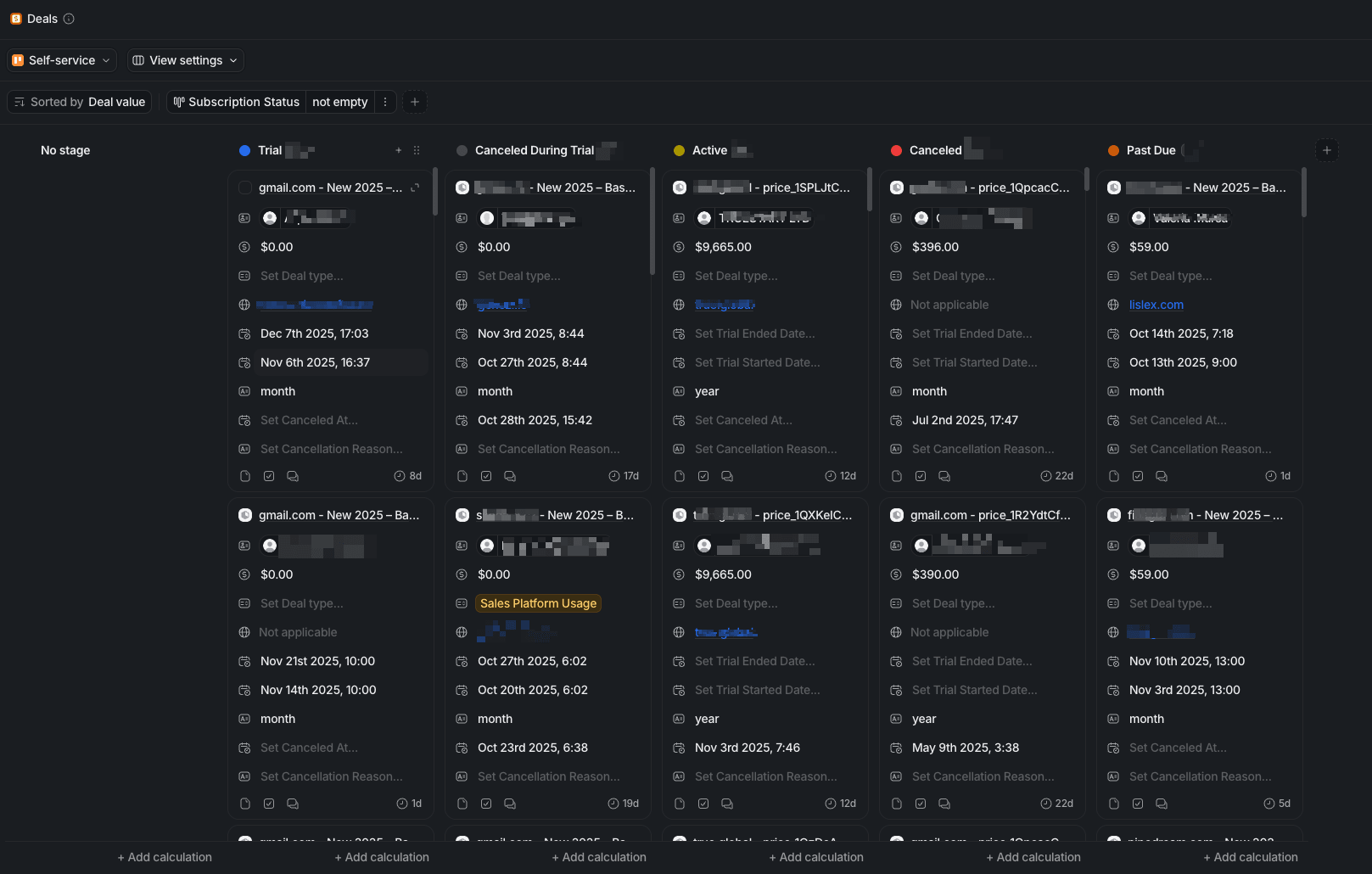
For every subscription stage, we have the corresponding stage in the Self-service Deal Pipeline. For us, the deal approach works because we care about how many customers are in trial / first month/expansion.
Here’s the algorithm:
Trigger: Stripe subscription created/updated webhook into n8n.
Then we fetch the Stripe Customer (to get email, name, and metadata).
We compute metrics such as:
Plan, interval, price, quantity.
LTV (sum of paid invoices).
MRR / ARR (normalized by interval).
Invoices count.
First / last payment dates.
Days since last payment.
Trial dates, subscription status, cancellation info, and next renewal date.
Months active and a simple “months paid” estimate.
Person-level update
Then upserting the person in Attio to ensure the person's record in Attio always reflects their current Stripe state and history. In the Attio workspace, you need to create attributes for subscription data (subscription_id, plan fields, MRR/ARR in cents, LTV, trial dates, cancellation fields)
Deal-level update
Next, we upsert the deal in Attio. We derive the root domain from the person’s email and use a name pattern like `”{domain} – {plan}”`. The stage is set to “Self‑Service” and the owner is a fixed UUID for now (later this can be routed based on rules).
We associate the created or updated person with the deal, and if we can infer a company, we associate that too. The workflow maps Stripe subscription status to Attio deal status: Trial, Active, Past Due, or Canceled.
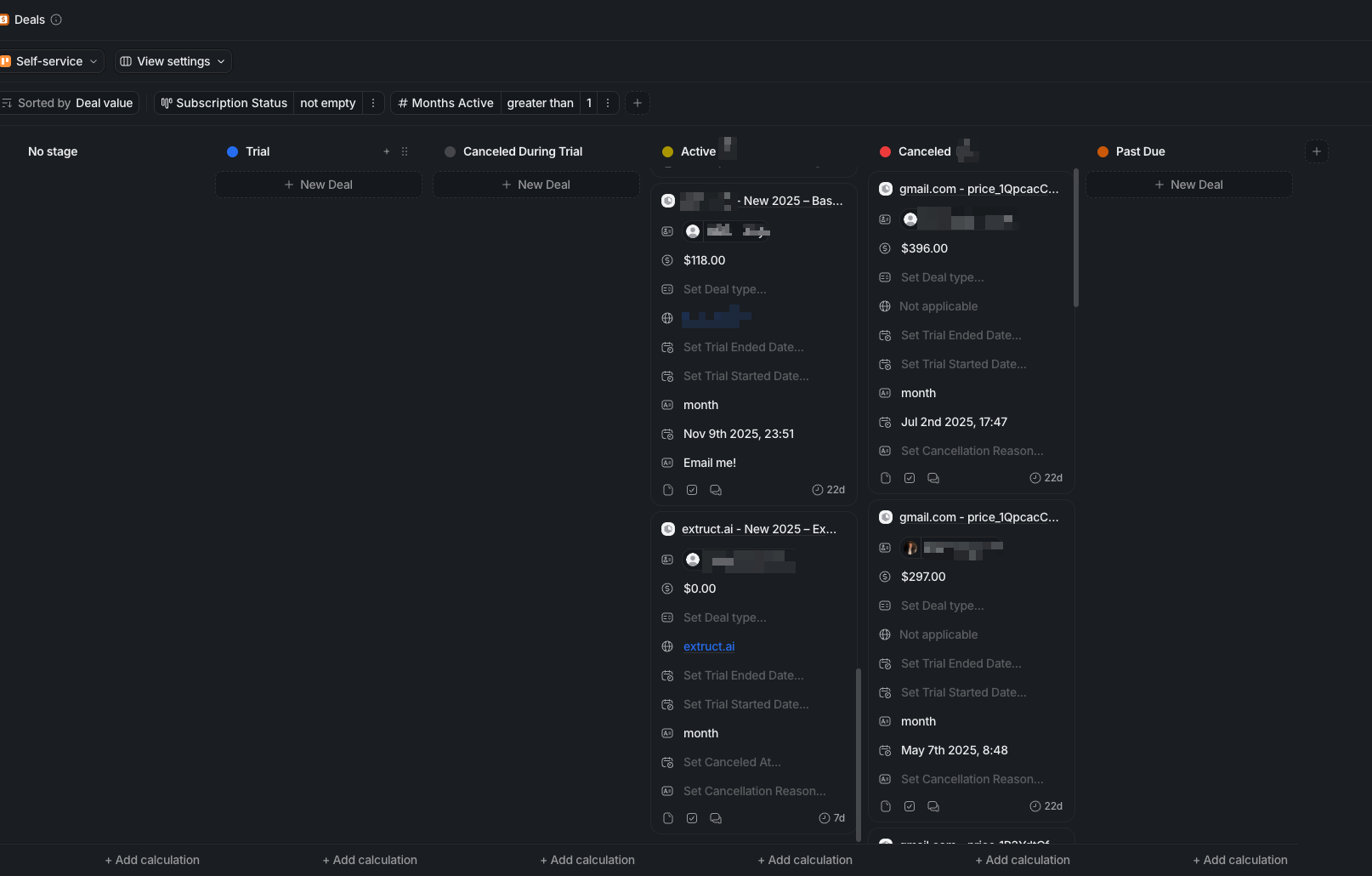
For instance, at the end I can filter all subs and people with more than 1 month active period
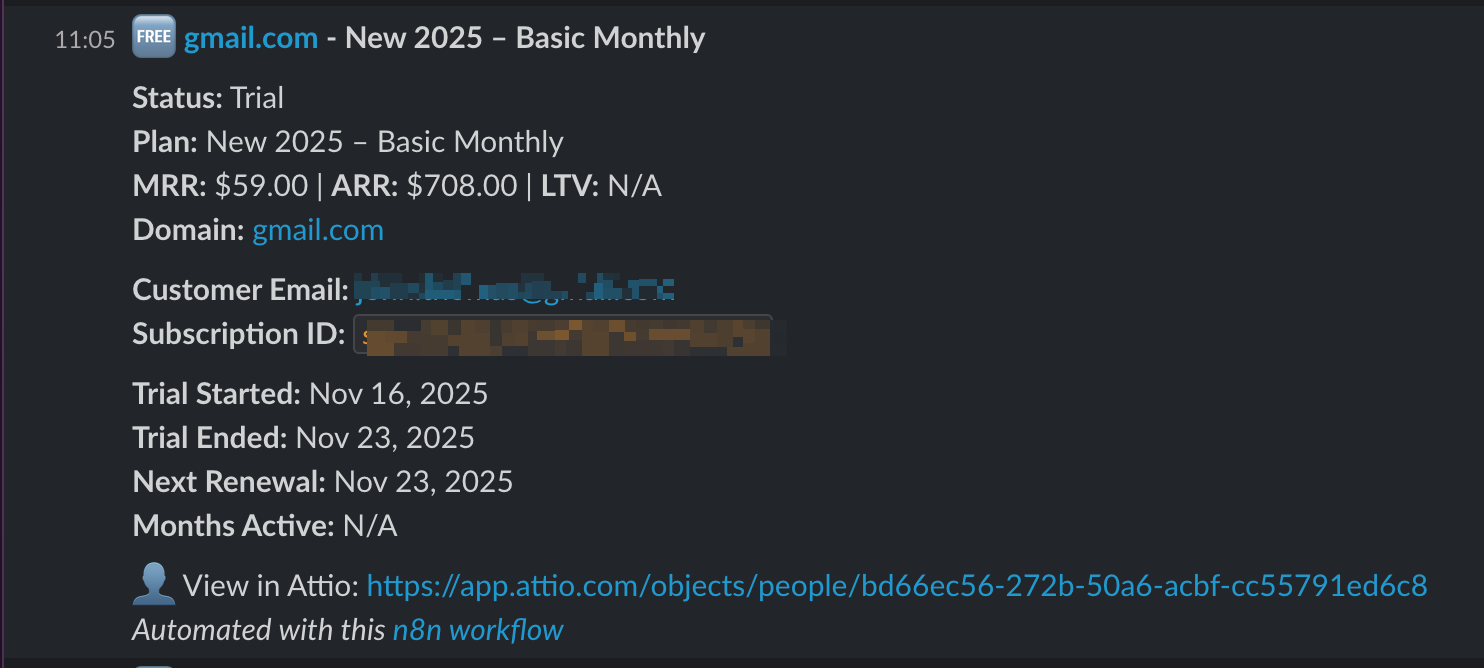
Slack notifications
To make this visible to the team, we send a compact Slack notification. This turns “Stripe events in a dashboard” into instant, contextual events in the team’s chat, which is where GTM work actually happens.
Personal and corporate email enrichment flow
Attio’s built‑in enrichment is good, especially for LinkedIn → email bridges.
But in practice, a large share of PLG users sign up with personal emails.
In our case, around 70% of users today look like gmail.com, outlook.com, etc. If you do nothing, they remain “mystery people” in your CRM.
So we built an enrichment flow around that.
The workflow fires on two triggers:
Calendly invitee.created (demo bookings)
Clerk registration webhook (new user signups)
We start by extracting the basics: email, name, registration or booking date, and any product context we already have (workspace, use case, etc.).
Then we classify the email into personal versus corporate domains and route it into two different paths accordingly.
For personal emails, we search SignalHire, wait for results, and fetch them. We parse candidate data (LinkedIn profile, job title, additional emails) and company data (name, website, sometimes size and industry). If we get a valid company website, we enrich the company via Extruct to get firmographic and tech stack data.
The outcome: a personal Gmail address turns into “Person X at Company Y with role Z”, not just “John from Gmail”.
For corporate emails, we extract the domain from the email and enrich the company and the person via Extruct (our own tool) using that domain.
The outcome: for every person registered in the product, we try to turn them into “Person X at Company Y with role Z”—complete with their corporate email and LinkedIn profile—not just “John from Gmail”.
Attio upserts
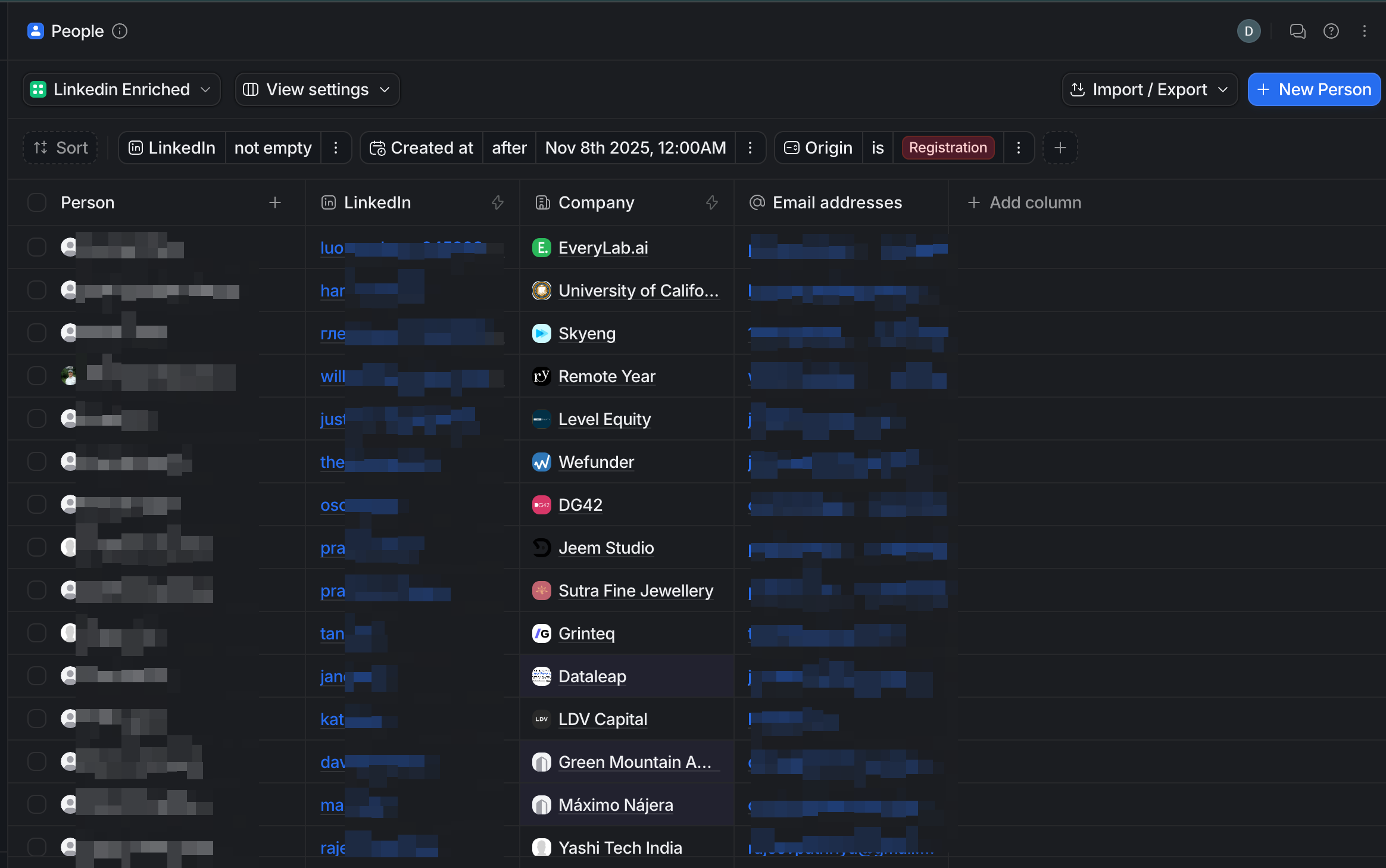
Once enrichment is done, we upsert into Attio with companies matched by domains and people matched by email addresses
We can see the clean and reliable enrichment for registrations and demo bookings. Clean, deduplicated CRM records.
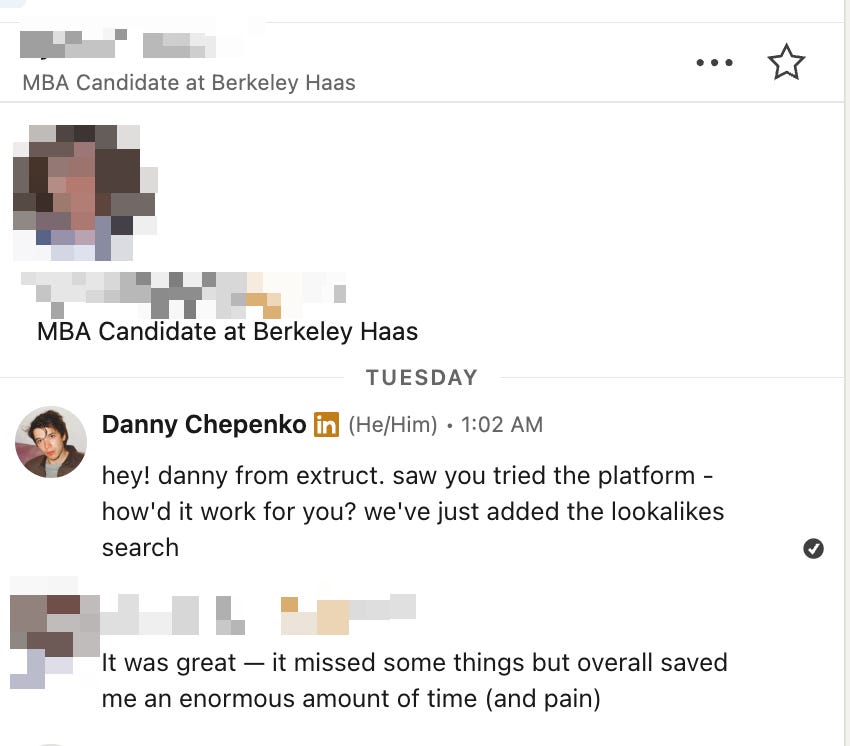
Today, try to connect with every user, just asking how they' liking the tool and what the use case
Lead management system on top of Attio
We also do a fair amount of proactive outreach. For that, we needed a simple, opinionated lead management system on top of Attio.
I’m not sure about the “best practice” here, but having a large number of users in CRM seems rational, at least from the attribution perspective.
We just do some simple connection, so when we receive the positive reply in Instantly we update that in Attio.
We’re still iterating, but the direction is clear: less manual CRM work and keep a single source of truth where Attio stays the central GTM map.